See it while you type
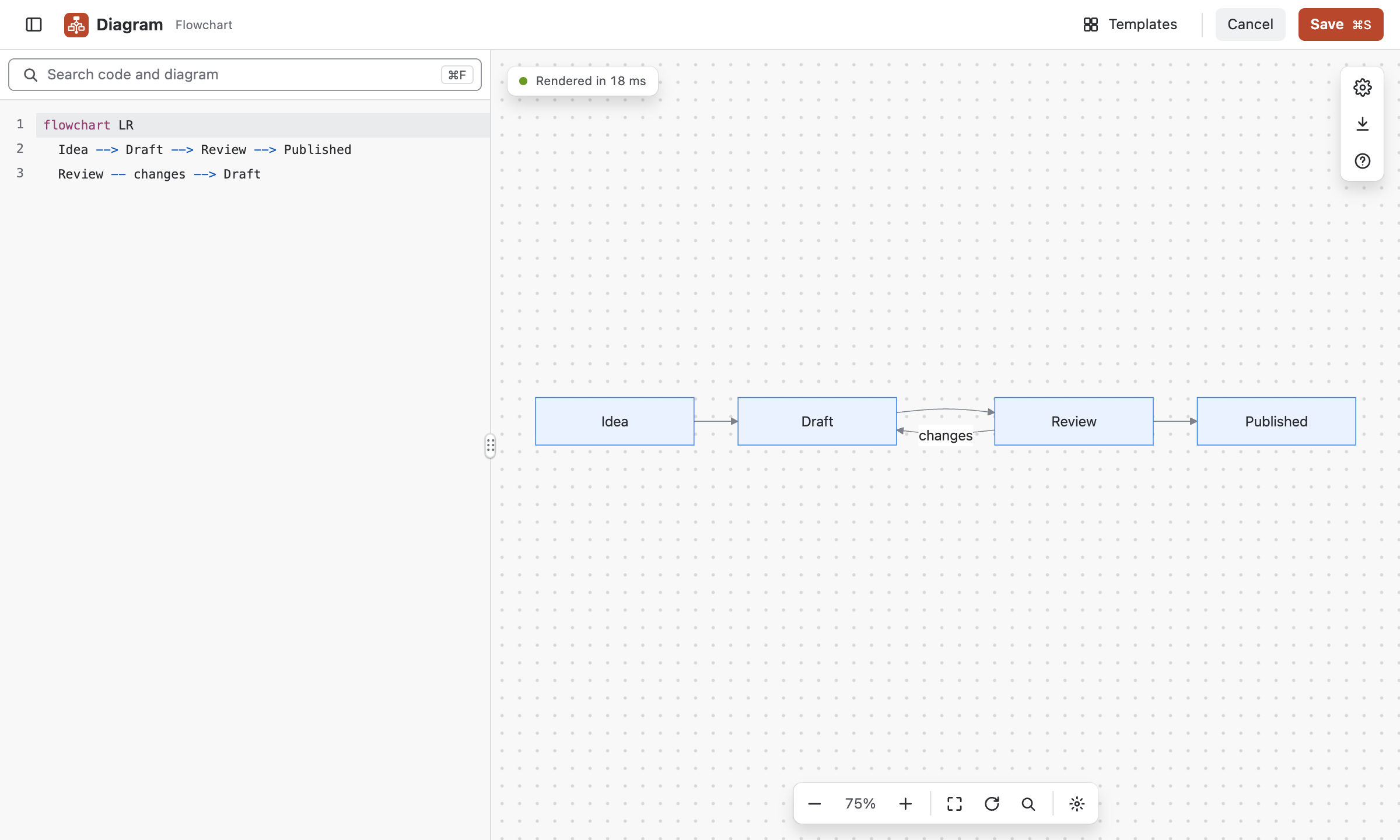
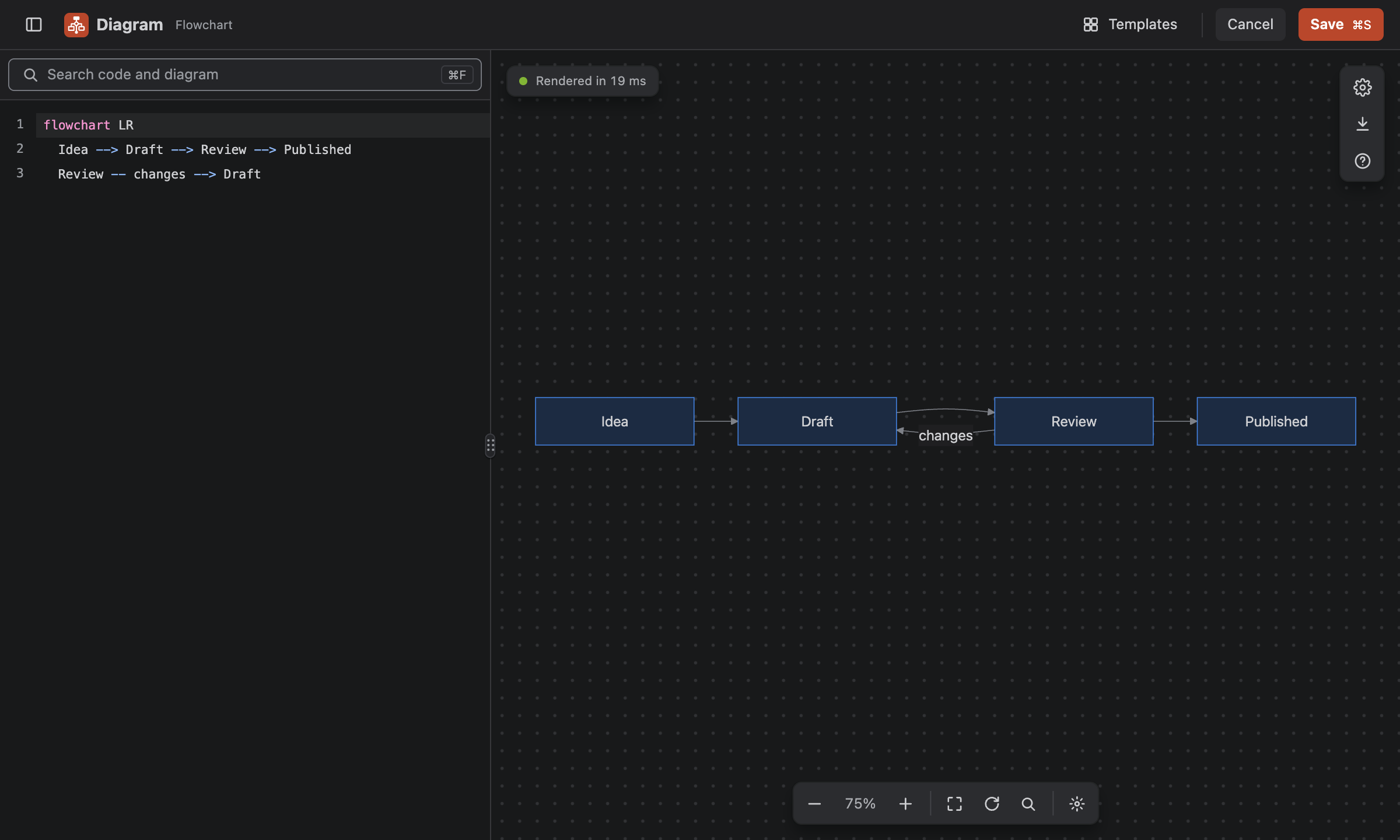
A live preview redraws on every keystroke, and errors point to the exact line. Change one arrow in ten seconds, not ten minutes.
Vellnar Diagrams for Confluence
Write a diagram as Mermaid code inside the page. The preview follows every keystroke, readers open it in full screen, and anyone who can edit the page can fix it.
Try the editor30-day free trial. Billed by Atlassian.
The problem with pictures
It was right when someone drew it. Then the system changed, the person moved teams, and the original file went with them.
The source lives in a drawing tool on somebody’s laptop. Everyone else sees a flat image and works around it.
The name of the service is in the picture, not in the page. So the one diagram that explains it never shows up.
Find the file, move forty boxes, export, upload, replace. So it stays wrong, and people stop reading it.
What changes
Built on Mermaid, the open standard engineers already use in their repositories. Everything stays inside the Confluence page.
A live preview redraws on every keystroke, and errors point to the exact line. Change one arrow in ten seconds, not ten minutes.
From a quick flowchart to a C4 architecture view. No second tool, no second license.
72 templates for real documents: runbooks, ADRs, post-mortems, release plans. Pick one and change the names.
Every label is text, so a search for a service name finds the diagram that explains it.
Each diagram keeps its own history. Preview an earlier version and restore it without touching the rest of the page.
The app asks for zero permissions and makes no outside connections. Your diagrams are stored in the page itself, on Atlassian’s platform.
Check it yourself
Each fact is public. You can verify it before an admin installs the app.
0
Confluence shows the permissions when an admin installs an app. Diagrams asks for none.
Read the security page0
The app runs on Atlassian. Your diagrams stay in your pages. Nothing goes to us or to another service.
Read the privacy page30
Drawn with Mermaid, the open-source standard. We publish example code for every type.
Open the list of typesWe also compare Diagrams with six other apps, and we say when they fit better. Read the comparisons
How it works
No setup, no account to create, nothing to connect. The app works the moment it is installed.
The macro sits in the Confluence insert menu, next to the ones you already use.
Already have Mermaid in a README? Paste it. New to it? Start from a template and edit the labels.
The diagram is in the page, sharp at any size. Next time something changes, anyone can open it and fix one line.
Go deeper
Short pages, each one written to answer one question.
Every task with screenshots: write, find, present and export.
What diagrams as code are, and what to check when you choose an app.
Thirty types, each with example code and templates.
Six other apps, with dated facts and the cases where they fit better.
What each version changed.
No permissions and no outside connection, explained.
Every diagram stays readable code, so anyone can fix it in a minute. And if you ever stop paying, it stays visible on your pages.
Try the editor